For the last few years, using AI has almost become synonymous with paying monthly subscriptions. Writing tools, design platforms, automation software, presentation builders—everything seems to come with a price tag.
I used to think this was unavoidable.
But after spending 30 days testing Google’s free AI tools, my perspective completely changed. What I discovered was surprising: Google already offers powerful AI solutions that can replace many popular paid tools—and in several cases, they actually work better.
Here’s a detailed breakdown of the Google AI tools I tested and why they’re worth using in 2026.
Why Google’s Free AI Tools Deserve Attention
Most people only interact with Google AI through Gemini chat. That’s just the surface.
Behind the scenes, Google has quietly released multiple advanced AI tools through AI Studio, Google Labs, and Gemini’s internal workspace. Together, they cover nearly every major AI use case—from website building and automation to presentations, image creation, and audio generation.
And the biggest surprise?
Most of these tools are free and accessible right now.
Google AI Studio: Build Websites, Apps, and Dashboards Without Paying
Google AI Studio turned out to be one of the most powerful tools I tested.
It allows you to create:
- Animated websites
- Landing pages
- Registration forms
- Client dashboards
- Simple web apps
Using Gemini, the tool generates code, layout structure, and design elements automatically. What impressed me most was the real-time customization—you can adjust layout, text, and logic instantly without deep coding knowledge.
For freelancers and founders, this can easily replace paid no-code platforms or basic development tools.
Google Opal: Automation by Simply Explaining What You Want
Automation tools usually feel complex and technical. Google Opal takes a different approach.
Instead of configuring complicated rules, you simply describe your workflow in plain English. For example:
- Automatically qualify leads
- Generate content ideas
- Automate internal business processes
Opal converts your instructions into a clean, visual, node-based automation flow. It feels intuitive and surprisingly powerful, especially for solo creators and small teams.
NotebookLM: Turn Documents Into Presentations and Videos
NotebookLM quickly became one of my favorite tools.
You can upload:
- PDFs
- Articles
- Research documents
- Long written content
And it transforms them into structured explanations, presentations, or narrated content. The flow feels natural and well-organized, making it ideal for educators, content creators, and professionals who work with large amounts of information.
This tool alone can save hours of manual summarizing and slide creation.
Pameli (Google Labs): AI Marketing Without an Agency
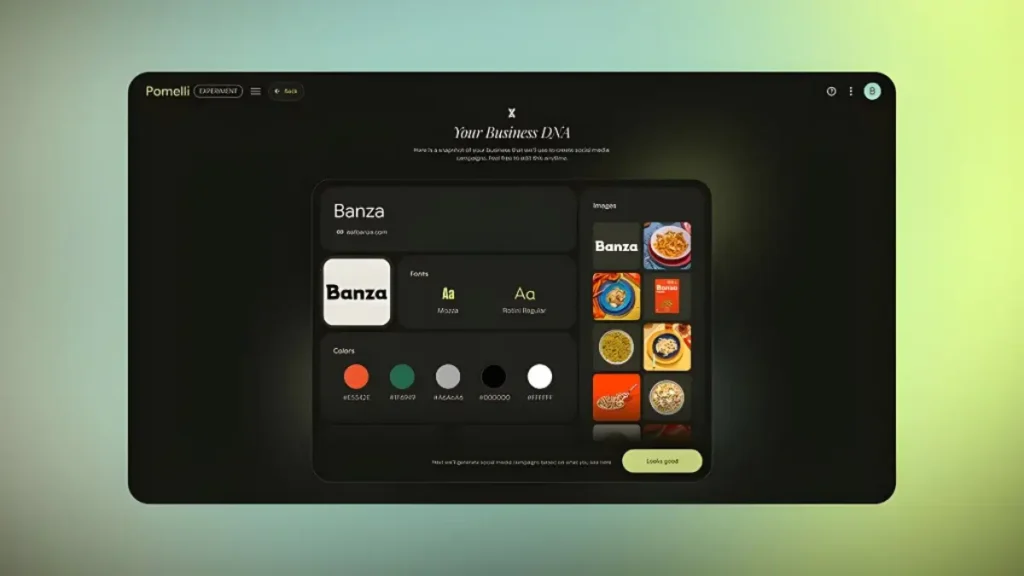
Pameli is designed specifically for marketing tasks.
By simply entering a website URL, the tool analyzes the brand and generates:
- Campaign ideas
- Marketing visuals
- Ready-to-post social media content
It works particularly well for promotions and flash sales. For small businesses and solo marketers, Pameli feels like having an AI marketing assistant without paying agency fees.
Gemini Canvas: Create Clean, Professional Presentations Instantly
Gemini Canvas focuses on one thing—presentations.
I tested it by uploading reports, strategy notes, and training documents. Within seconds, it converted them into visually structured slides with proper flow and hierarchy.
This tool is ideal for founders, consultants, and professionals who want polished presentations without spending time on design.
Nano Banana Pro: AI Image Generation for Real Use Cases

Despite its unusual name, Nano Banana Pro delivers serious results.
It’s designed for creating:
- Product mockups
- Thumbnails
- Marketing visuals
- Pitch deck graphics
The images feel commercial and usable, not overly artistic or experimental. For most business and creator needs, this can easily replace paid AI image tools.
Multi-Speaker AI Audio: Natural Voices for Audio Content
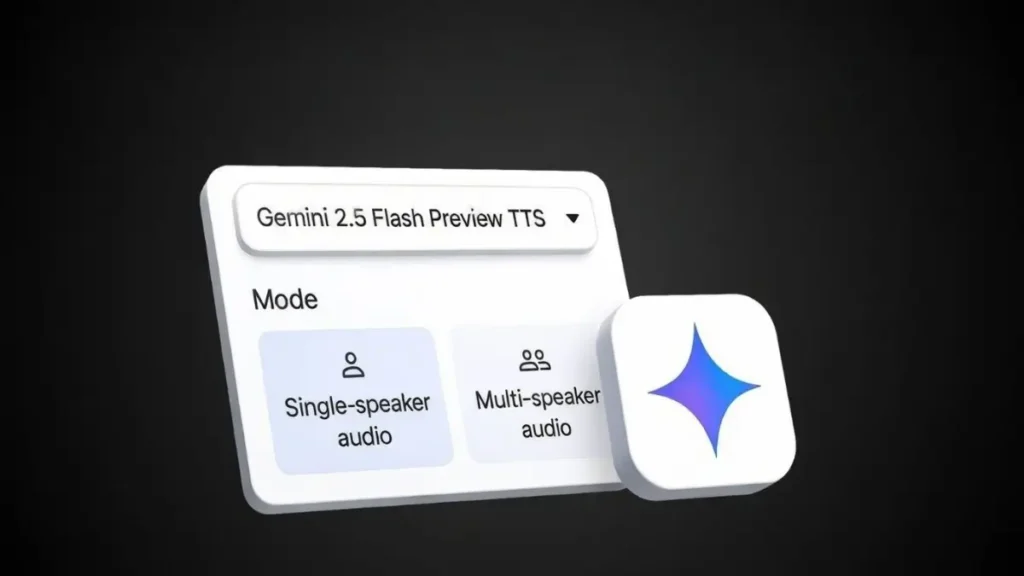
One of the most impressive discoveries was Google’s multi-speaker AI audio tool inside AI Studio.
You paste a script, choose voice profiles, and customize tone and pacing. The result is natural-sounding conversations suitable for:
- Podcasts
- Explainer videos
- Training content
- Ads and short-form videos
Unlike many text-to-speech tools, the voices don’t feel robotic or flat, even in longer conversations.
Who Can Benefit Most From These Tools?
From my experience, these tools are especially useful for:
- Content creators
- YouTubers
- Marketers
- Freelancers
- Startup founders
- Students
- Small agencies
If you’re currently paying for multiple AI subscriptions, there’s a strong chance Google already offers a free alternative.
What This Means Going Forward
Google isn’t aggressively marketing these tools, and that’s what makes them easy to miss. But taken together, they form a complete AI ecosystem that supports creation, automation, design, and distribution.
After using them daily for a month, one thing became clear: paying for AI should now be a choice, not a default.
Before subscribing to another AI tool, it’s worth asking:
Is there already a free Google AI tool that can do this?
In many cases, the answer is yes—and that realization alone can save a significant amount of money every year.
2 thoughts on “Stop Paying for AI: Google’s Free AI Tools Are Quietly Beating Paid Software”